
Documentation
rp2350sim runs unmodified tinygo build -target=pico2 and stock Pico SDK C
firmware, including RTOS kernels such as Zephyr: a Cortex-M33 interpreter,
the RP2350 chip peripherals, and models for the boards and external chips
(ST7789 LCD, W5500/W6300/CH9120 Ethernet, WS2812B, virtual Wi-Fi). A Shirei
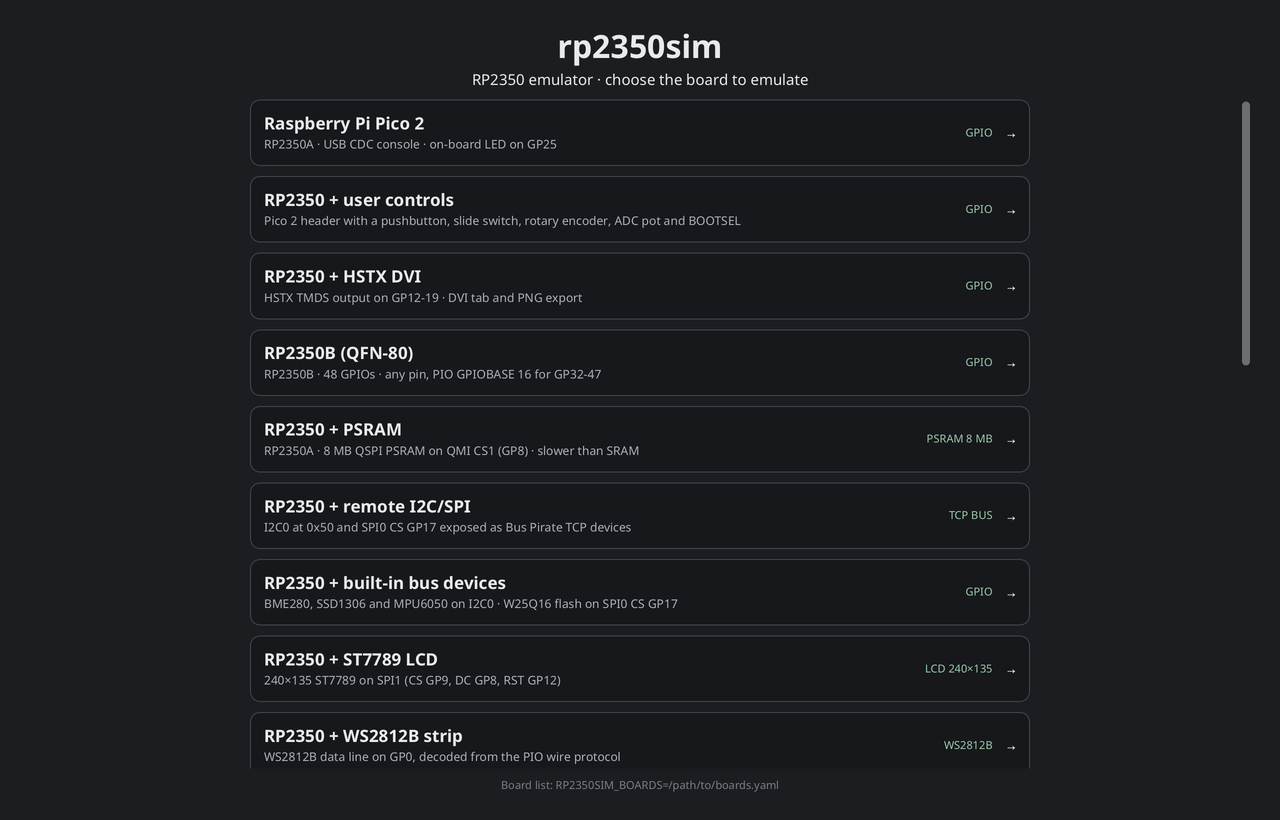
desktop UI adds board selection, live GPIO, a scope, a logic analyzer,
built-in bus presets, Bus Pirate terminals and live reload.
This directory is the user guide. The same pages are rendered with Hugo and
the Geekdoc theme at
https://akhenakh.github.io/rp2350sim/; preview locally with task docs:serve.
The desktop UI also runs in the browser as a
live demo; see the
browser build notes for its limits and speed.
- RTOS support: preemptive SVC/PendSV/SysTick exceptions, nested IRQs,
per-core NVIC/SCB, banked MSP/PSP and lazy/eager floating-point frames.
Zephyr 4.5 is validated on
rpi_pico2/rp2350a/m33(hello world, synchronization, philosophers, blinky, kernel context, scheduler API and FPU sharing); the Crtosctxfixture covers context switching and critical sections. See the Zephyr guide. - Interactive board controls: buttons, switches, rotary encoders, ADC pots
and BOOTSEL declared in
boards.yamland scriptable with--input. - Debug variables: every application global and local is shown in a scrollable list with its evaluated value.
- Profiler and coverage: an exact instruction/line coverage view, sampled cycles per function, LCOV and JSON export, IRQ latency and stack watermarks in the Profile tab. See the profiler guide.
- USB HID: descriptor-driven keyboard, mouse, media and gamepad reports in the HID tab, with host-to-device output reports. See USB HID.
- Board configuration: every
boards.yamldevice, input, bridge and validation rule is documented in the reference. - Scripted device plugins: a BME280, SPI flash, modem or companion radio
can be shipped as a
.luaor.wasmfile and loaded from a board or the Plugins tab. See device plugins. - Distribution: Homebrew on macOS, AUR on Arch, and release archives with verifiable GitHub build provenance.
| Document | Contents |
|---|---|
| install.md | install the CLI and desktop UI on macOS, Arch, Linux or Windows |
| videos.md | AI-generated video tours of the simulator |
| cli.md | every command-line flag, output contract, exit codes, examples |
| profiler.md | Profile tab, exact coverage, LCOV/JSON, IRQ latency and stack watermarks |
| peripherals.md | each peripheral from both the CLI and the UI, with reference firmware and tasks |
| hid.md | USB HID host: keyboard, mouse, media and gamepad reports, HID tab and flags |
| plugins.md | Lua and WASM I2C/SPI/UART device models, ABI, examples and logs |
| bus-pirate.md | Bus Pirate tokens, built-in presets and recipes for faking I2C/SPI peripherals |
| ui.md | the desktop UI: board picker, boards.yaml, tabs, scope, logic analyzer, bus presets and live reload |
| wasm.md | the same UI compiled to WebAssembly: live demo, build, URL parameters, stripped host devices and browser speed |
| debug.md | the Debug tab, symbols, breakpoints, watchpoints, memory and variables |
| boards-yaml.md | complete boards.yaml field reference, defaults, validation and examples |
| boards.md | supported boards, wiring, peripherals and current limitations |
| ci.md | running firmware in CI, injecting input, asserting output and signals, capturing artifacts |
| tinygo.md | installing, building with TinyGo, drop-in Taskfile/Makefile targets, dev loop |
| c.md | C firmware with the Pico SDK: build, examples, console, current gaps |
| ble.md | virtual CYW43 BLE controller: stock Pico W BTstack firmware, GATT peer, pcapng capture |
| zephyr.md | Zephyr: SDK install, rpi_pico2/rp2350a/m33 builds, validated samples and tests |
| release.md | release archives, GoReleaser, supported platforms |
Use Homebrew on macOS, the AUR on Arch, a prebuilt archive on Linux or Windows, or build from source. See the installation guide for the commands and release verification.
# Build firmware for the Pico 2 with TinyGo...
tinygo build -target=pico2 -o firmware.elf .
# ... or build a Pico SDK C project for PICO_BOARD=pico2 (see c.md).

# Run the resulting ELF for three virtual seconds
rp2350sim -fw firmware.elf -seconds 3

# Or inspect it in the UI
rp2350sim-ui --board pico2 firmware.elf
Both TinyGo and Pico SDK C images are first-class inputs; the rest of this guide applies to either unless a section is explicitly about one toolchain.
Firmware console output goes to stdout; emulator diagnostics and the final
summary go to stderr, so rp2350sim ... > firmware.log captures only what
the firmware printed.
A minimal CI assertion:
printf 'status\n' | rp2350sim -fw firmware.elf -seconds 3 -stdin \
  -expect "status: ok" -stop-on-expect -quiet > firmware.log
See ci.md for the full recipe.
- Raspberry Pi Pico 2 (RP2350A) and RP2350B (QFN-80, 48 GPIOs), TinyGo and Pico SDK C: GPIO, UART, SPI, I2C, PWM, ADC, PIO, USB CDC (TinyGo and TinyUSB), USB-MIDI, audio capture, DMA, timers, multicore, OTP, TRNG/SHA-256, the always-on timer, HSTX/DVI output, a GDB server and optional QSPI PSRAM on QMI CS1. Raw flash images may use the emulator’s A/B partition table. See c.md for the C path and its current limits.
- RTOS kernels: Zephyr 4.5 (
rpi_pico2/rp2350a/m33) and FreeRTOS-style preemptive kernels with SVC/PendSV/SysTick, per-core NVIC and floating-point context switching. See the Zephyr guide. - Pico 2 W: the on-board CYW43439 gSPI radio, firmware download, WLC
control, join/events and the DHCP/DNS/NTP/NAT data path are emulated
(
-cyw43439, boardpico2w-cyw). The legacypico2wboard keeps the virtual Wi-Fi netdev; Bluetooth is on the separate-blecontroller. See boards.md. - Pico 2 + PSRAM: optional 1–16 MiB QSPI device on QMI CS1, with a configurable access latency; see boards.md.
- Waveshare RP2350-GEEK: ST7789 240×135, I2C header and microSD.
- Waveshare RP2350-Touch-LCD-2: 240×320 touch LCD, CST816D, QMI8658, battery ADC and microSD.
- Waveshare RP2350-POE-ETH: W6300 Ethernet on SPI0.
- Waveshare RP2350-ETH (non-PoE): CH9120 UART-to-Ethernet on UART1.
- Breadboard variants: W5500 on SPI0, ST7789, WS2812B, UART over TCP and remote I2C/SPI devices over Bus Pirate tokens.
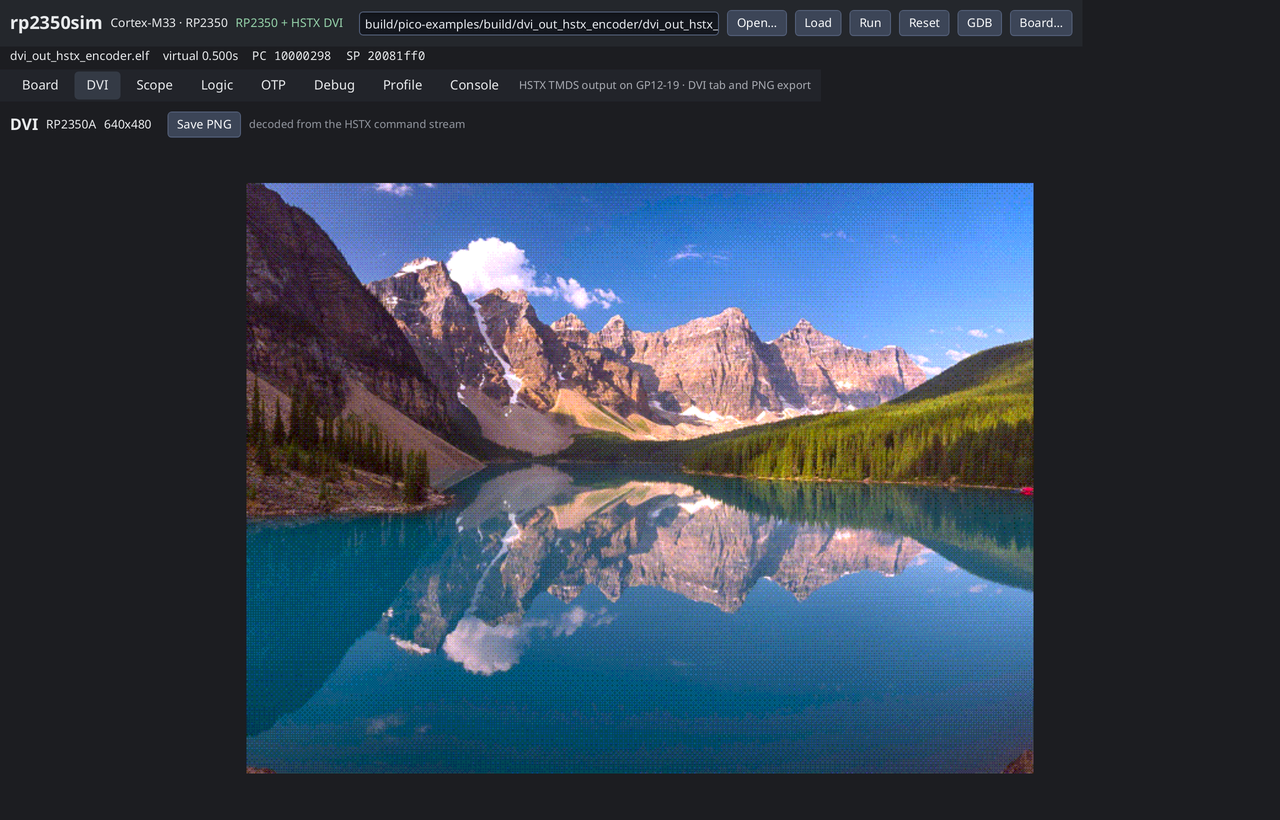
| DVI output | USB-MIDI |
|---|---|
 |
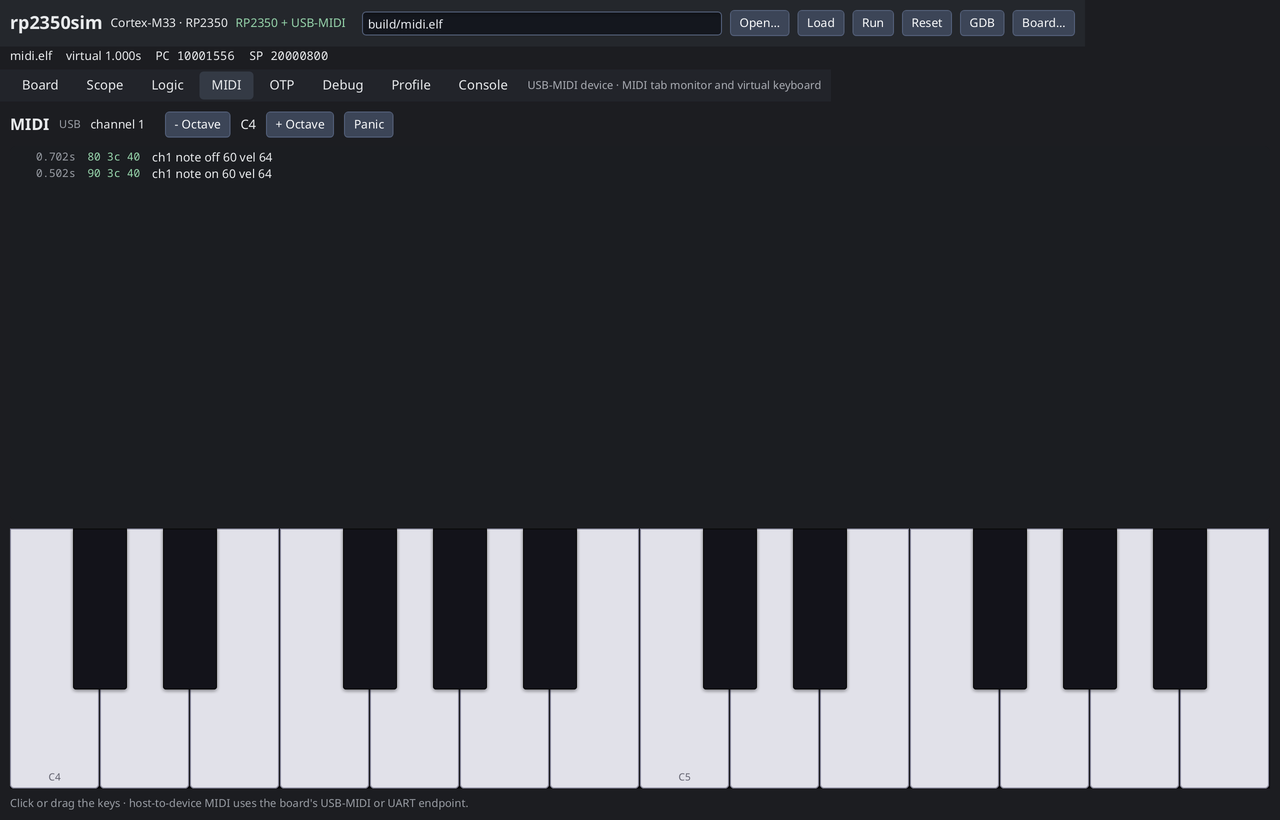 |
The UI guide covers the board picker, every tab, the scope and logic analyzer, audio, MIDI, DVI and headless snapshots. The same UI also runs in a browser; see the browser build.
- The CPU is Cortex-M33 (
thumbv8m.main); stock TinyGo firmware is the contract, and stock Pico SDK C images boot through the same vector table. The RP2350 bootrom itself is skipped; a synthetic table answers the SDK’srom_func_lookupcalls. - Time is virtual (150 MHz cycles); the emulator runs faster than real time,
so
-secondsis virtual time and-wall-timeoutis real time. - The headless runner is the automation surface; the UI is a separate module.
- ELF debug information drives the Debug tab and symbol breakpoints; UF2/raw images fall back to address breakpoints.
- The documents here are the user guide; implementation contracts live with the code.